fbpx LPIC-2 — The certification that transforms sysadmins into senior Linux engineers | Online Course | Certificação Linux
Certification Advanced Best Seller

For those who want to stop studying without direction and get approved on the real certification

LPIC-2 — The certification that transforms sysadmins into senior Linux engineers

For those who already have LPIC-1 and want to master Linux architecture, automation, and security — before losing senior proposals to candidates with the certification you don't yet have 🌎 Available in Portuguese, English and Spanish, with subtitles

Studying alone isn't the problem. The problem is not knowing whether you're studying what actually shows up on the exam — until you freeze on exam day.

⭐ 4.9 (863 reviews) 👥 1,450 students
1,334 mock exam questions
41 labs in your browser
1,450+ students
🏅 LPI Chair only Brazilian

This is for you if:

  • You've already tried studying alone and got stuck without knowing why.
  • You want to move up from tier-1 support and don't know what the next step is.
  • You've memorized commands but never tested that knowledge on a real exam.
  • You want to move into infrastructure/Linux and don't know where to start.

The content on your exam is defined by someone right here — Prof. Uirá is Chair of the LPI Board, the only Brazilian to hold that seat. Studying without that direction is studying in the dark. And the time you lose doesn't come back.
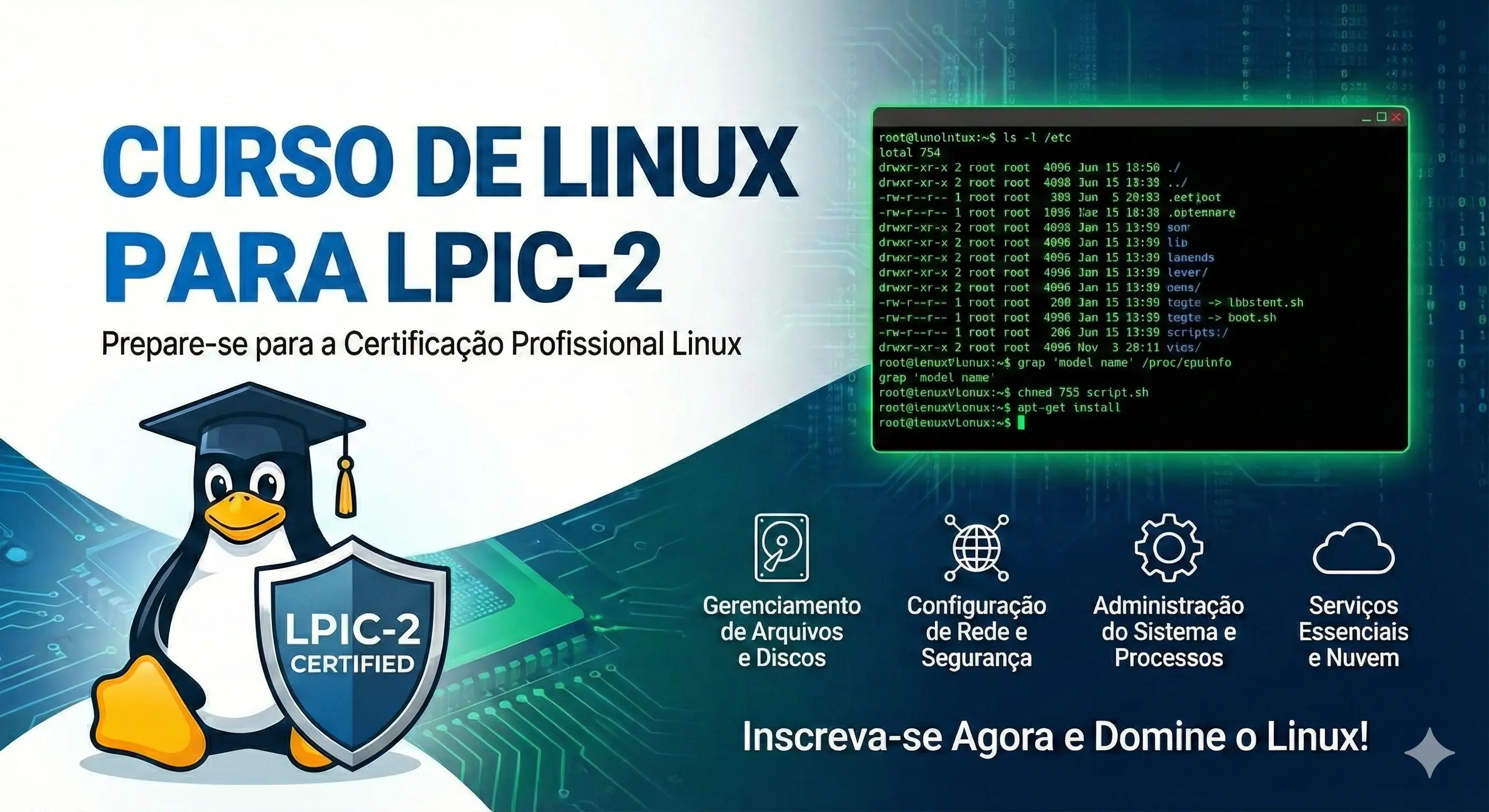

Course preview LPIC-2 — The certification that transforms sysadmins into senior Linux engineers

What you will learn

  • Capacity Planning
  • Linux Kernel
  • System Startup
  • Filesystems and Devices
  • Advanced Storage Device Administration
  • Network Configuration
  • System Maintenance
  • Preparation for the 201 certification exam
  • Domain Name Server (DNS)
  • Web Services
  • File Sharing
  • Network Client Management
  • Email Services
  • System Security
  • Preparation for the 202 certification exam

Course Content

From the first command to exam day: 101 lessons built in the right order for you to learn — and pass.

101 lessons • 20h of video • 1,334 mock exam questions • 41 hands-on labs
🎬 How to Maximize Your Study Performance[9m]
🎬 Course 201 Objectives[15m]
🎬 About the Instructor[6m]
🎬 200.1 - Measure and troubleshoot resource usage (iostat and uptime)[6m]
🎬 200.1 - Measure and troubleshoot resource usage (sar)[9m]
🎬 200.1 - Measure and troubleshoot resource usage (free and vmstat)[8m]
🎬 200.1 - Measure and troubleshoot resource usage (lsof)[8m]
🎬 200.1 - Measure and troubleshoot resource usage (ps, pstree and top)[9m]
🎬 200.1 - Measure and troubleshoot resource usage (netstat)[4m]
🎬 200.1 - Measure and troubleshoot resource usage (w)[3m]
🎬 200.1 - Measure and troubleshoot resource usage (iotop, htop, iptraf and ss)[8m]
📘 200.1 Measuring and Troubleshooting Resource Usage[12m]
📘 Lab: 200.1 Monitoring Memory and CPU Usage[16m]
🎬 200.2 - Predict future resource needs (collectd)[12m]
🎬 200.2 - Predicting Future Resource Needs (Nagios Mrtg Cacti)[4m]
📘 200.2 Predicting Future Resource Needs[12m]
🧩 200 - Quiz[22m]
🎬 201.1 - Kernel Components[9m]
📘 201.1 Kernel Components[12m]
🎬 201.2 - Compiling a kernel[31m]
📘 201.2 Compiling a Kernel[12m]
🎬 201.3 - Kernel Modules[20m]
🎬 201.3 - Kernel Parameters[11m]
🎬 201.3 - Hardware Detection (udev)[13m]
📘 201.3 Runtime Kernel Management[12m]
🧩 201 - Practice Exam[18m]
🎬 202.1 - Linux Standard Base (LSB)[7m]
🎬 202.1 - Customizing SysVinit on Red Hat[23m]
🎬 202.1 - Customizing SysVinit on Debian and Ubuntu[7m]
🎬 202.1 - Systemd[31m]
🎬 202.1 - System Recovery (Linux Boot Process)[9m]
🎬 202.2 - System Recovery: GRUB 1[28m]
🎬 202.2 - System Recovery: GRUB 2[21m]
🎬 202.2 - Systemd and GRUB 2 Repair Modes[8m]
🎬 202.2 - Using fsck for File System Repair[9m]
🎬 202.2 - UEFI and ESP Partition[4m]
🎬 202.3 - Alternative Boot Managers[7m]
🎬 207.1 Basic DNS server configuration - Bind9 Installation[17m]
🎬 207.1 RNDC Client[12m]
🎬 207.2 Configuring a zone in named.conf[3m]
🎬 207.2 Types of Entries for a DNS Zone[12m]
🎬 207.2 Configuring a primary zone[8m]
🎬 207.2 Configuring a reverse zone[5m]
🎬 207.2 Zone configuration and checking utilities[14m]
📘 Lab: 207.2 Configuring a DNS Server with BIND9[25m]
🎬 207.3 Security in named with chroot[5m]
🎬 207.3 DNSSEC[7m]
🎬 207.3 TSIG Transfer Signature[6m]
🎬 207.3 DNS Split Configuration[2m]
🎬 207.3 DANE[2m]
🧩 Practice Exam 207 - DNS[34m]
📘 202.1 Customizing the System Initialization Process[12m]
📘 202.2 System Bootloaders[12m]
📘 202.3 Alternative Bootloaders[12m]
🧩 202 - Practice Exam[16m]
📘 207.1 Basic DNS Server Configuration[12m]
📘 207.2 Creating and Maintaining DNS Zones[12m]
📘 207.3 DNS Security[12m]
🎬 203.1 - Operating the File System: mount points[25m]
🎬 203.1 - Operating the File System: swap[8m]
🎬 203.2 - File System Maintenance: ext2/3/4[17m]
🎬 203.2 - XFS Tools and Utilities[9m]
🎬 203.2 - Creating Swap Partitions and Files[8m]
🎬 203.2 - BTRFS Tools and Utilities[26m]
🎬 203.2 - ZFS Overview[2m]
🎬 203.3 - Automount and CD-ROM[13m]
🎬 203.3 - Encryption using LUKS[9m]
🧩 203 - Practice Exam[18m]
📘 203.1 Operating the Linux File System[12m]
📘 203.2 Maintaining the Linux File System[12m]
📘 203.3 Creating and Configuring Filesystem Options[12m]
🎬 208.1 Apache httpd Installation[22m]
🎬 208.1 HTTPD Modules[4m]
🎬 208.1 Perl Module Installation[4m]
🎬 208.1 PHP Module Installation[3m]
🎬 208.1 Basic Authentication[13m]
🎬 208.1 VirtualHost in HTTPD[5m]
🎬 208.1 Alias and Redirect in HTTPD[5m]
🎬 208.1 Server Tuning[8m]
🎬 208.2 SSL Certificate Server Request[7m]
🎬 208.2 SSL Self-Signed Certificate[5m]
🎬 208.2 mod_ssl Installation[9m]
🎬 208.3 Squid Proxy[15m]
🎬 208.4 Nginx as a web server[10m]
🎬 208.4 Nginx as a Reverse Proxy[6m]
🎬 208.4 FastCGI_Pass Enabling PHP in Nginx[8m]
🎬 204.1 - Introduction to RAID[9m]
🎬 204.1 - Software RAID[25m]
🎬 204.1 - Failure and Recovery[11m]
📘 204.1 Configuring RAID[12m]
🎬 204.2 - Storage Tuning - iSCSI Tools[12m]
📘 204.2 Tuning Storage Devices[12m]
📘 204.3 Logical Volume Management (LVM)[12m]
📘 208.1 Implementing an Apache Web Server[12m]
📘 208.2 Apache with HTTPS and SSL/TLS[12m]
📘 208.3 Implementing Squid Proxy[12m]
📘 208.4 Implementing Nginx as a Web Server and Proxy[12m]
🎬 204.2 - Storage Tuning - Disk Tools[14m]
🎬 204.3 - LVM Physical Volume[3m]
🎬 204.3 - LVM Volume Group[4m]
🎬 204.3 - LVM Logical Volume[8m]
🎬 204.3 - LVM Resizing a Logical Volume (resize)[9m]
🎬 204.3 - LVM Create Volume Snapshot[8m]
🧩 204 - Practice Exam[12m]
🎬 209.1 Samba 4 Installation[10m]
🎬 209.1 Samba User Control[20m]
🎬 209.1 SmbControl and Samba-Tool[4m]
🎬 209.2 Network File System NFS[23m]
🎬 205.1 - Basic Network Configuration[11m]
📘 205.1 Basic Network Configuration[12m]
🎬 205.2 - Network Troubleshooting I (netstat, ss, lsof)[11m]
🎬 205.2 - Network Troubleshooting II (nc, tcpdump, nmap, hostname, dmesg and ping)[28m]
📘 205.2 Advanced Network Troubleshooting[12m]
🧩 205 - Practice Exam[16m]
📘 209.1 Configuring a Samba Server[12m]
📘 209.2 Network File System (NFS)[12m]
🎬 210.1 DHCP Configuration [12m]
🎬 210.1 DHCPD.CONF[7m]
🎬 210.2 PAM Configuration[35m]
🎬 210.2 PAM Files in /etc/pam.d[10m]
🎬 210.3 LDAP client usage [27m]
🎬 210.3 LDAP Commands[12m]
🎬 210.3 LDAP Server[10m]
🎬 206.1 - Software Installation from Source Code[13m]
📘 206.1 Compiling and Installing Programs from Source Code[12m]
🎬 206.2 - Backup Operations[14m]
📘 206.2 Backup Operations[12m]
🎬 206.3 - User Notification[7m]
📘 206.3 User Notifications and System Logs[12m]
🧩 206 - Practice Exam[12m]
📘 210.1 Configuring a DHCP Server[12m]
📘 210.2 PAM Authentication[12m]
📘 210.3 LDAP Authentication on Linux[12m]
🎓 LPIC-201 Exam Discount[5m]
🎓 LPIC-202 Exam Discount[5m]
🧩 Final Practice Exam 1[2h]
🧩 Final Practice Exam 2[2h]
🧩 Final Practice Exam 3[2h]
🧩 Final Practice Exam 4[2h]
🧩 Final Practice Exam 5[2h]
🧩 Final Practice Exam 6[2h]
🧩 Final Practice Exam 7[2h]
🧩 Final Practice Exam 1[2h]
🧩 Final Practice Exam 2[2h]
🧩 Final Practice Exam 3[2h]
🧩 Final Practice Exam 4[2h]
🧩 Final Practice Exam 5[2h]
🎬 211.1 Using e-mail servers[24m]
🎬 211.2 Postfix[17m]
🎬 211.2 Mail Delivery Agent - procmail[15m]
🎬 211.3 Managing Mailbox Access - Dovecot[10m]
📘 211.1 Using Email Servers[12m]
📘 211.2 Managing Postfix[12m]
📘 211.3 Managing Email Distribution[12m]
🎬 212.1 Configuring a router[28m]
🎬 212.2 Managing FTP servers[19m]
🎬 212.3 Secure shell[16m]
🎬 212.4 Security Tasks[20m]
🎬 212.5 OpenVPN[13m]
📘 212.1 Configuring a Router[12m]
📘 212.2 Managing FTP Servers[12m]
📘 212.3 Secure Shell (SSH)[12m]
📘 212.4 Security Tasks[12m]
📘 212.5 OpenVPN[12m]

Good content without someone to teach it is worthless. Meet who built this course.

Instructor

Prof. Uirá Ribeiro — instructor

Prof. Uirá Ribeiro

Board Chair — Linux Professional Institute

Linux specialist with more than 20 years of experience. Author of 5 books, mentor to +14,033 certified students and holder of 22 high-level international certifications.

"I wrote the official LPI Learning Materials used in Linux Essentials, Security Essentials, LPIC-2, DevOps Tools, and LPIC-3. Here, you learn straight from the source." — Prof. Uirá Ribeiro
5.0 Rating
14,033+ Students
23 Courses

Certifications

  • LPIC-3 300, 303 e 304
  • LPIC-2 e LPIC-1
  • AWS Solutions Architect, SysOps, Cloud Practitioner
  • Red Hat RHCE, RHCSA
  • Red Hat Specialist — Containers & Kubernetes
  • CompTIA Linux+, Security+, CySA+, Project+
  • Linux Foundation CKA e LFCS
  • DevOps Tools Engineer, Web Dev Essentials, Security Essentials
Official training platform: LPI — Linux Professional Institute Training Partner Platinum LPI Publishing Partner LPI Approved Trainer Linux Foundation — Training partner

LPI Training Partner Platinum — fewer than 20 schools in the world hold this distinction

Our students work at:
🛡️

Unconditional 7-day guarantee

You have 7 days to try the course with no risk. If for any reason — and we don't need to know which — you are not satisfied, just request a refund and we will return 100% of your money. No questions asked. No red tape. The risk is all ours.

Frequently Asked Questions

Have a question? See the answers below.

How long does access to the course last?

You get 5 years of access from the enrollment date, and you can renew at a special discount when the period ends.

Do I get a certificate when I finish?

Yes. After completing all the lessons, you receive a completion certificate equivalent to 59 hours, in the LPI standard — the same one required or valued in technical support, server administration, DevOps, and Linux infrastructure positions.

Does the course work on a phone or tablet?

Yes. The platform is fully responsive. You can watch the lessons on any device — Android phone, iPhone, tablet or computer — without installing anything.

Do the hands-on labs need special hardware?

No. All labs run right in your browser, through a Linux terminal in the cloud. You only need an internet connection and a modern browser.

Does the content cover the current LPI exam?

Yes. The curriculum is reviewed regularly to follow the official Linux Professional Institute syllabus. You study exactly what appears on the current exam.

What if I don't like it? Is there a guarantee?

You have a 7-day unconditional guarantee. If for any reason you are not 100% satisfied, just request a refund and we will return your entire investment — no questions asked, no red tape.

Do I get support during the course?

Yes. You can ask questions directly on the platform. Prof. Uirá and the teaching assistants answer technical questions in the lessons.

Is there a discount on the certification exam?

Yes. Enrolled students get 20% off LPI exam vouchers — a real saving on your total certification investment.

WhatsApp